Using AI to Generate Realistic Sample Data for an ASP.NET Core Storefront
One of the recurring challenges when building an e-commerce application is finding realistic data to work with.
As part of an ongoing project, I’m evolving the storefront application from my book Building Your First Shopping Basket into a real-world online vintage clothing store. That meant moving beyond simplistic sample data and creating a catalogue containing unique products, varied descriptions and a believable inventory.
It’s easy enough to generate hundreds of products using libraries such as Bogus or Faker, but the results often look synthetic.
Product names become repetitive, descriptions lack personality, and the catalogue doesn’t feel representative of a real business. More importantly, highly predictable sample data can hide flaws in both the application design and the underlying data model. When every product looks broadly the same, it’s easy to miss the edge cases and inconsistencies that emerge when working with realistic data.
As it turned out, generating a diverse catalogue exposed several issues that might otherwise have gone unnoticed. Colour filtering became considerably more complex once products started using descriptive colour names such as “Deep Plum” and “Stonewash Sky Blue”, while sizing requirements varied significantly between different categories, such as clothing, footwear and accessories.
Rather than manually creating hundreds of records, I decided to use AI to generate the initial catalogue.
1. Using AI as a Data Generator
Rather than manually creating hundreds of products, I decided to use AI to generate an initial catalogue for the storefront.
The goal wasn’t simply to populate the database with sample records. I wanted a catalogue that felt realistic enough to support the ongoing development of the application, including product listings, inventory management, filtering and search.
What I quickly discovered was that realistic data does far more than exercise the user interface. It also helps validate the underlying domain model.
Traditional sample data generators often produce data that is highly predictable and repetitive. While this can be adequate for testing basic functionality, it can also disguise weaknesses in the design of the application. When every product follows the same patterns, it’s easy to make assumptions about what data will look like in production.
The AI-generated catalogue introduced far greater variety. Products spanned different clothing categories, styles, colours and size conventions. Inventory levels varied, product descriptions felt more authentic and many of the inconsistencies found in real-world data began to emerge.
As a result, the catalogue became more than just development data. It became a valuable tool for refining the application’s domain model.
Several aspects of the model evolved as a direct result of working with the generated data. The introduction of a dedicated BaseColour field is one example. What initially appeared to be a simple colour property quickly became more complicated once the catalogue started containing values such as “Deep Plum”, “Petrol Blue” and “Stonewash Sky Blue”. While these descriptive colour names looked great on product pages, they quickly became problematic when I started thinking about filtering. Presenting customers with dozens of highly specific colour options would create an unwieldy user experience, so the model evolved to separate display colours from broader colour categories that could be used for filtering and search.
Likewise, assumptions around sizing began to break down once the catalogue included a realistic mix of clothing, footwear and accessories.
In the next section, I’ll look at the prompt itself and the approach I used to generate the initial catalogue.
2. Designing the Prompt
My first instinct was to ask AI to generate a collection of vintage clothing products and return them as JSON.
The results were surprisingly good, but they also highlighted an important lesson: if you want consistent and reliable output, you need to be explicit about your requirements.
The excerpts shown throughout this section are taken from the final iteration of the prompt. I’ve included the complete prompt as an appendix at the end of this article for anyone who would like to experiment with a similar approach.
As the catalogue evolved, so did the prompt. What started as a simple request gradually became a detailed specification covering categories, sizing rules, stock levels, pricing, condition ratings and colour information.
In many ways, the process felt remarkably similar to domain modelling. Each time the generated data exposed an issue, edge case or ambiguity, I found myself refining either the application model, the prompt itself, or often both.
One of the final iterations included requirements such as:
Generate approximately 300 unique products for a vintage clothing store.

Requirements:
- Every product must belong to exactly one category.
- Product names must be unique.
- Product descriptions must be unique.
- Prices should be realistic and appropriate for vintage clothing (£10 to £150).
- Colours should be realistic for the item type.
- Avoid duplicate products with only minor wording differences.

For each product generate:
- Name
- Slug
- Description
- Category
- Audience
- Colour
- BaseColour
- Price
- StockQuantity
- ImageUrl
- Size
- Condition

Return valid JSON only.
Several aspects of the prompt were deliberately designed to mirror real-world inventory.
For example, stock levels followed a distribution where most products had a quantity of one, reflecting the fact that vintage items are often unique:
- StockQuantity (integer following this distribution: ~85% set to 1, ~10% set to 0, ~5% set between 2 and 8 for deadstock job lots)One lesson I learned quite quickly was that the prompt needed to reflect the rules of the domain, not just the shape of the data.
For example, sizing initially appeared straightforward. However, once I started thinking about the different types of products in the catalogue, it became clear that a single sizing approach would not work.
A jumper might be sized using traditional alpha sizes such as “M” or “XL”, while a dress requires regional sizing information and accessories such as scarves or handbags may not have a size at all.
To address this, the prompt contained explicit sizing rules:
- Size (string, strictly under 50 characters, following strict category rules, or null if not applicable):
  * Rule A (For Tops, Layering & Knitwear, Accessories like Hats):
    - Use strict alpha sizing only: "S", "M", "L", "XL", or "XXL" (optionally "One Size" for hats).
  * Rule B (For Bottoms, Dresses & Jumpsuits, Outerwear, and Footwear):
    - Use a strict regional triplet format: "UK 10 / US 6 / EU 38" for apparel, or "UK 8 / US 9 / EU 42" for footwear.
  * Rule C (For general Accessories like bags, scarves, pin badges):
    - Set strictly to null.
Colour presented a similar challenge.
Initially I treated colour as a single property. However, the generated catalogue quickly produced highly descriptive values such as “Deep Plum”, “Faded Olive Green” and “Burgundy and Mustard Houndstooth”.
These descriptions were ideal for displaying on product pages, but they highlighted a problem with filtering. A customer browsing a catalogue typically wants to filter by broad colour categories such as Purple, Green or Red rather than selecting from dozens of highly specific colour descriptions.
This insight led to a change in the application’s domain model with the introduction of a dedicated BaseColour property. Once that decision had been made, the prompt was updated to generate both the descriptive display colour and the broader filter colour, allowing the catalogue to support both rich product descriptions and practical filtering.
As the prompt became more detailed, I found myself describing not just the data I wanted, but the business rules that governed the store. The exercise became surprisingly similar to domain modelling, with each prompt revision forcing me to think more carefully about products, inventory, sizing and filtering.
By the final iteration, the prompt had become less about generating random data and more about describing the business rules of the domain. The AI was effectively being asked to produce products that conformed to the same constraints that would apply in a real vintage clothing store.
3. Generating the Catalogue
Once the prompt had been refined, it was time to generate the catalogue itself.
The quality of the output was considerably better than anything I could have achieved using traditional seeding libraries alone. Rather than producing variations of generic products, the generated catalogue contained a diverse mix of clothing, footwear and accessories spanning multiple decades, styles and audiences.
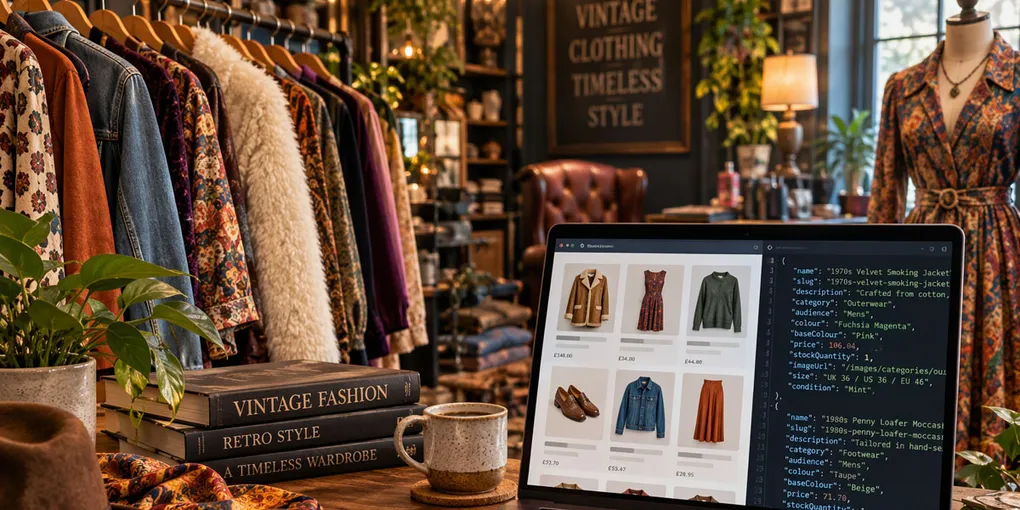
A typical generated product looked like this:
{
  "Name": "1970s Velvet Smoking Jacket with Satin Lapels",
  "Slug": "1970s-velvet-smoking-jacket-with-satin-lapels",
  "Category": "Outerwear",
  "Audience": "Mens",
  "Colour": "Fuchsia Magenta",
  "BaseColour": "Pink",
  "Price": 106.04,
  "StockQuantity": 1,
  "Size": "UK 40 / US 40 / EU 50",
  "Condition": "Mint"
}
What impressed me most was the level of variety. Product names felt authentic, descriptions referenced realistic materials and construction details, and inventory levels reflected the realities of a vintage clothing business.
The generated data also avoided one of the common pitfalls of traditional sample data generators: repetition. Instead of hundreds of records that differed only slightly from one another, the catalogue contained a wide range of products, sizes, colours and conditions.
The more realistic the catalogue became, the more confidence it gave me that the application was being tested against data that resembled a genuine retail catalogue rather than a collection of synthetic records. Some of these discoveries led directly to changes in the model itself, while others resulted in refinements to the prompt.
In hindsight, this turned out to be one of the most valuable aspects of using AI-generated sample data. The catalogue wasn’t simply populating the database. It was helping to validate the design of the application.
4. AI Is Not the Final Step
While AI proved extremely effective at generating realistic products, the generated catalogue was not immediately ready to be imported into the application.
The data still needed to conform to the rules of the domain model. Categories, audiences, conditions and base colours all needed to align with the structures defined within the application. In some cases, the generated output highlighted shortcomings in the model itself and prompted further refinements.
This was perhaps the most important lesson from the exercise. AI generated the data, but it was still the responsibility of the developer to validate it, shape it and ensure that it reflected the requirements of the application.
The most successful workflow was not AI replacing the modelling process. It was AI accelerating the modelling process by providing realistic data against which the model could be tested.
Once the catalogue had been generated and refined, the next step was to integrate it into the application’s seeding process so that realistic products could be loaded into the database and used throughout the storefront.
Using AI to generate the catalogue saved a significant amount of time and produced data that feels far more realistic than traditional seed generators.
More importantly, the generated data exposed weaknesses in the model before the application reached production.
Rather than simply generating fake records, AI acted as a useful collaborator, helping create a catalogue that behaves much more like a real storefront.
As my vintage clothing storefront app grows, this catalogue will provide a solid foundation for implementing product cards, search functionality, pagination and faceted filtering.
Appendix: Complete Prompt
The following prompt represents the final iteration used to generate the storefront catalogue discussed throughout this article.
Generate approximately 300 unique products for a vintage clothing store, distributed roughly evenly across the available categories.

The store specialises in authentic vintage and retro-inspired fashion.

The output will be used to seed a product catalogue for an ASP.NET Core application.

Requirements:

- Every product must belong to exactly one category.
- Every product must include all requested fields.
- Product names must be unique.
- Product descriptions must be unique.
- Prices should be realistic and appropriate for vintage clothing (£10 to £150).
- Colours should be realistic for the item type.
- Avoid duplicate products with only minor wording differences.
- The final JSON array must be completely randomized/shuffled so products from different categories are interleaved, rather than grouped by category.

Use the following categories:
- Tops
- Bottoms
- Dresses & Jumpsuits
- Outerwear
- Layering & Knitwear
- Footwear
- Accessories

For each product generate:
- Name (strictly under 100 characters)
- Slug (a URL-friendly, lowercase, hyphen-separated version of the Name, strictly under 150 characters)
- Description (2–3 sentences, strictly under 500 characters, including details such as fabric, colour, style, decade inspiration, fastening type, and condition)
- Category
- Audience (must be strictly one of: Mens, Womens, Boys, Girls, Unisex)
- Colour (a rich, descriptive string, e.g., "Burgundy and Mustard Houndstooth" or "Faded Olive Green")
- BaseColour (a standardized primary filter colour, chosen strictly from: Black, Blue, Brown, Green, Grey, Orange, Pink, Purple, Red, White, Yellow, Beige)
- Price (a decimal number between 10.00 and 150.00, strictly greater than 0)
- StockQuantity (integer following this distribution: ~85% set to 1, ~10% set to 0, ~5% set between 2 and 8 for deadstock job lots)
- ImageUrl (strictly under 255 characters, using one of the category paths specified below)
- Size (string, strictly under 50 characters, following strict category rules, or null if not applicable):
  * Rule A (For Tops, Layering & Knitwear, Accessories like Hats):
    - Use strict alpha sizing only: "S", "M", "L", "XL", or "XXL" (optionally "One Size" for hats).
  * Rule B (For Bottoms, Dresses & Jumpsuits, Outerwear, and Footwear):
    - Use a strict regional triplet format: "UK 10 / US 6 / EU 38" for apparel, or "UK 8 / US 9 / EU 42" for footwear.
  * Rule C (For general Accessories like bags, scarves, pin badges):
    - Set strictly to null.
- Condition (must be strictly one of the following enum values, following a realistic vintage distribution:
    ~20% Mint (unworn deadstock with tags), ~45% Excellent (lightly worn, well-preserved),
    ~25% VeryGood (standard vintage wear with minor patina),
    ~10% Good (noticeable character or minor cosmetic flaws described in text))


Product names should be realistic and descriptive rather than generic.

The following product groups are representative examples for each category.
Generate realistic variations and related items inspired by these examples rather than repeating them verbatim.

Tops:
Vintage band T-shirts, Polo shirts, Denim shirts, Hawaiian shirts, Retro blouses

Bottoms:
Flared jeans, Chinos, Corduroy trousers, Vintage skirts, Shorts

Dresses & Jumpsuits:
Floral dresses, 1950s-style dresses, Vintage evening wear, Boiler suits

Outerwear:
Denim jackets, Leather jackets, Trench coats, Bomber jackets, Blazers

Layering & Knitwear:
Wool jumpers, Cardigans, Knit vests, Retro sweatshirts

Footwear:
Leather boots, Vintage trainers, Loafers, Brogues, Heels

Accessories:
Belts, Scarves, Handbags, Sunglasses, Hats

Good examples:
- Brown Leather Ankle Boots with Side Zip
- Vintage Denim Worker Jacket
- Retro Wool Cardigan in Forest Green
- 1970s Floral Midi Dress
- Distressed High-Waist Denim Shorts

Descriptions should be 2–3 sentences and include realistic details such as fabric, colour, style, decade inspiration, fastening type, and condition.

Stock levels should follow a vintage one-of-a-kind and deadstock distribution:
- ~85% Standard Unique Items (StockQuantity: 1)
- ~10% Sold / Archived Items (StockQuantity: 0)
- ~5% Deadstock / Job Lots where multiple identical items were found (StockQuantity: 2 to 8)

Use realistic pricing between £10 and £150.

Generate approximately:
- 40 Tops
- 40 Bottoms
- 50 Dresses & Jumpsuits
- 50 Outerwear
- 40 Layering & Knitwear
- 40 Footwear
- 40 Accessories

Use a category-based image URL from the following list:

Tops: /images/categories/tops.jpg
Bottoms: /images/categories/bottoms.jpg
Dresses & Jumpsuits: /images/categories/dresses.jpg
Outerwear: /images/categories/outerwear.jpg
Layering & Knitwear: /images/categories/knitwear.jpg
Footwear: /images/categories/footwear.jpg
Accessories: /images/categories/accessories.jpg

Return the result as a JSON array of objects.

Return valid JSON only.

Do not include markdown.

Do not include explanations.

Do not include comments.

Do not wrap the JSON in code fences.

Return the JSON as a downloadable file attachment if possible.